 Whid
Whid
2026.3
Minor Feature ReleaseNew Features
- Calendar entries can be colored by regex rules on the task path, with a configurable default color.
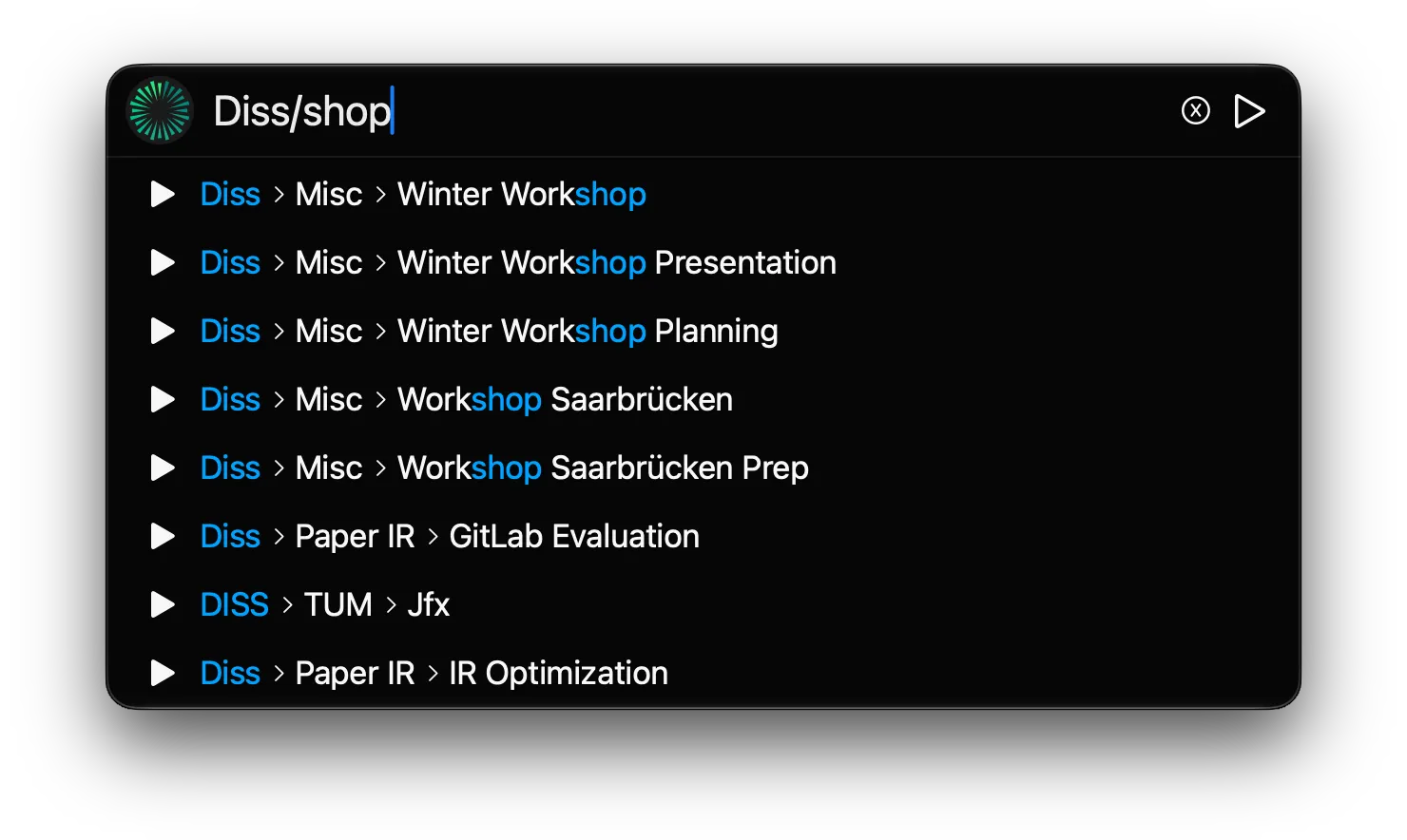
- Search suggestions highlight the characters matched by your input.
Fixes
- The sync window could use excessive memory or crash.
- Renaming a task could corrupt the paths of subtasks whose names contain the renamed task’s name.
- Deleting the profile selected as default sync target could crash the app.
- Sync mappings to a deleted profile were not handled correctly in the sync window and settings.
- Time frames with zero duration were offered for sync.
2026.2
Major Feature ReleaseNew Features
- BETA Weekly calendar view that gives a quick overview of your tracked times and in PRO lets you create and edit time entries.
Improvements
- Fully deleting a task now has an extra confirmation step to avoid accidental deletions.
- Filter button shows an indicator when the filter is active.
- Manual backup creation shows success/failure message.
- Width of task popups is now adjustable to improve usability with longer task names.
- Time zone changes are now detected without having to restart the app.
Fixes
- Tray icon was not always changed on starting and stopping tracking of a task.
- Negative times could be displayed without ”-” in some cases.
2026.1
Minor Feature ReleaseNew Features
- Menubar icon now shows the current tracking status: green if tracking, white/black otherwise
- New setting to stop tracking when system goes to sleep or shuts down
Improvements
- Positioning of the compact tracker improved when moving across multiple screens
2025.9
Minor Feature ReleaseNew Features
- macOS Change styling to match liquid glass of macOS Tahoe
- Add support for single segment autocomplete by pressing Shift →
Fixes
- Text in the compact tracker had visual issues when it was too long.
2025.8
Fix ReleaseFixes
- Renaming a task could lead to faulty entries in search suggestions.
2025.7
Fix ReleaseImprovements
- Removed button to delete sync mappings since this could lead to accidentally deleting mappings too easily.
Fixes
- PRO Load PRO status faster; it sometimes took a second to show the purchased product.
2025.6
Minor Feature ReleaseNew Features
- Add
/reopenor/rcommand to restart and continue tracking the most recently closed time entry - Add warning about PRO trial ending soon
Fixes
- Double ”-” was shown in some places when negative times were recorded
2025.5
Fix ReleaseImprovements
- Auto Sync Mappings were not aligned properly between editing and displaying
2025.4
Teamwork ReleaseNew Features
- PRO Integration with Teamwork.com; for more info check out the docs
Fixes
- Fix crash after deleting a sync profile mapping and opening the sync view afterwards
- Pause command didn’t round times when rounding on save was selected
2025.3
Bugfix ReleaseImprovements
- macOS The store and initial start views looked a bit ugly in light mode. They are pretty now 🤩
Fixes
- Syncing could crash the app if a time entry had an ID assigned but target set to <none>
2025.2
Bugfix ReleaseImprovements
- Path fields now show a breadcrumb path that is scrollable for better usability
Fixes
- Stored sync mappings were not displayed in some cases
2025.1
First Public ReleaseWe are happy to announce that Whid is on the way to finally be released to the public! You can get access to the following features and many more:
New Features
- Quick tracking of tasks by opening the compact tracker with a hotkey
- Fuzzy search in the compact tracker to easily select previously tracked tasks
- Short commands in the compact tracker to adjust forgotten or mistracked times
- Support of task hierarchies
- Overview of tracked tasks in the Main Window, which can be aggregated by days, weeks, months or years
- Export to CSV
- Rounding of times on save or on sync/export
- Configurable hotkey
- Automated daily backups of your data
PRO Features
- Integration with 7 different project management systems in the PRO version: Jira, ClickUp, Asana, Clockify, YouTrack, Toggl Track and PDash
- Configurable automatic sync ID mappings